A Fake Phone Number in Your Photos Is Stealing Your Calls
The phone number on your listing is correct. The number printed inside the photo sitting at the top of that same listing is not. That second number is the one your customer dials.
What is being reported
Local search practitioners have been reporting a pattern on Google Business Profiles where a Maps contributor uploads an AI-generated image to a business that is not theirs, with a phone number printed inside the picture. In one reported case the same contributor had built up a large volume of photo contributions across unrelated businesses, carrying the same incorrect number.
Google has said nothing publicly about this case. It is not a new tactic, though. In early 2023 Google described updating its machine learning model to recognise phone numbers overlaid on contributed photos, precisely because scammers were using them to divert calls. These ones still got through. In the reported case, the owner’s own report and support request produced no useful response, and the contributor was removed about a day after the story was picked up by the search industry press. Treat the scale as reported rather than confirmed, and treat what follows as a control you should have anyway rather than a response to a named, quantified threat.
Why photos are the soft target
Your phone number field is yours to manage. Other people can suggest changes to it, but Google notifies you about certain suggested edits and gives you four days to accept or reject them before it may publish the change.
A photo is different. Any Maps contributor can add one to any business profile, and there is no review step for you before it goes live. It is not a field you own. And a prominent contributor image can appear in a position a customer reasonably reads as the brand’s own.
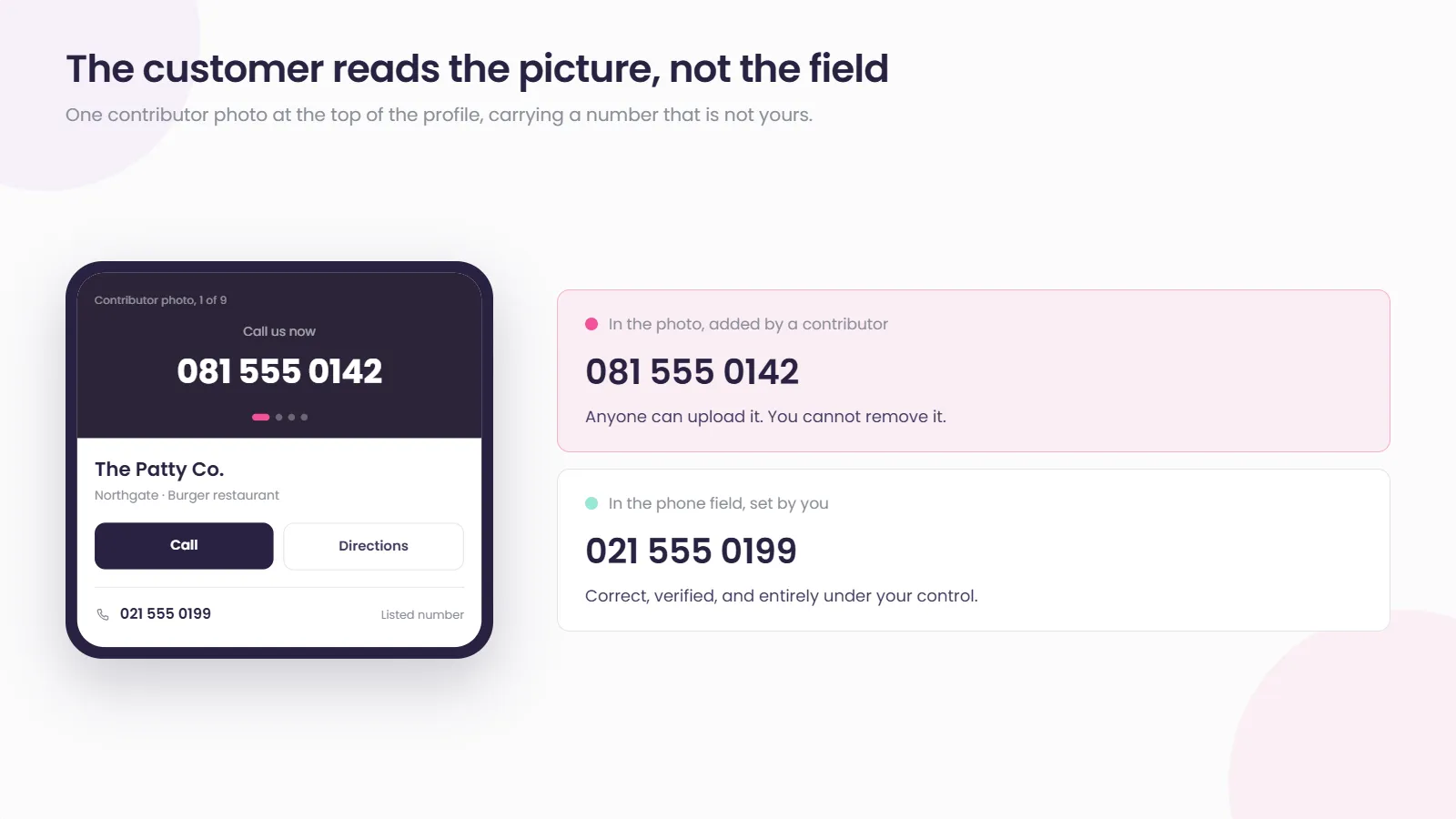
That gap between the fields you control and the content anyone can add is the whole attack. It requires no account access, no hijacked listing and no suspension. It just requires that nobody at your brand is looking at the photos.
The uncomfortable part is that you cannot simply fix it
This is where most advice on the subject stops being useful, so it is worth being blunt.
You cannot delete another contributor’s photo from your profile. The route is to request its removal from your Business Profile, and Google reviews it against its Maps user generated content policy, which allows Google to remove content, restrict feature access, or suspend the account behind it. The prohibited and restricted content policy sets out what qualifies.
But the decision is Google’s, not yours, and the timing is Google’s too. Google’s own guidance says the review can take several business days, and that submitting repeated removal requests for the same content can slow it down. In the reported case above, the owner also tried uploading fresh branded images to push the fake one down the strip. It did not work.
So the realistic posture is not remediation. It is detection, escalation, and containment.
What multi-location brands should actually do
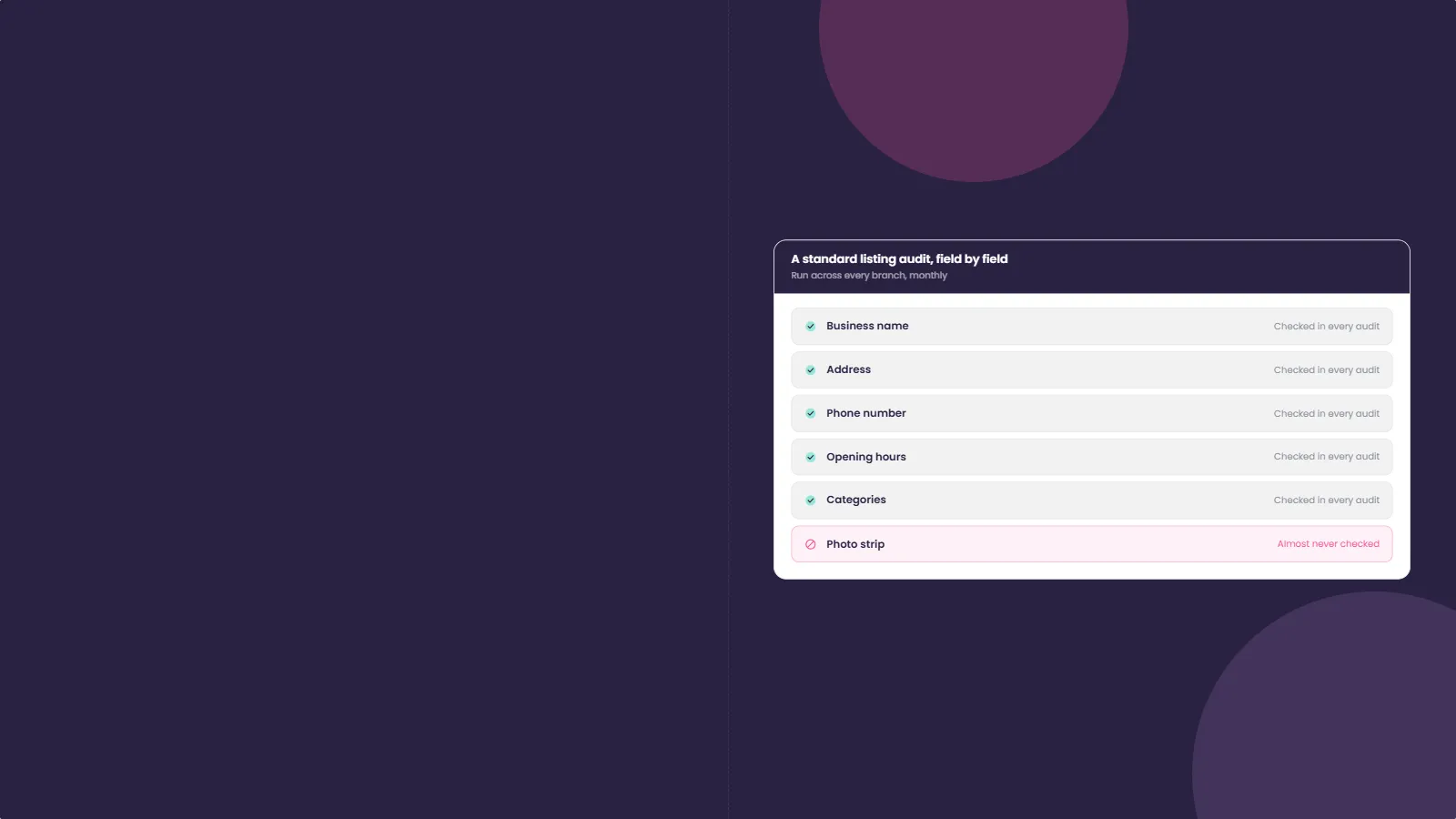
Read the photo strip, not just the fields. Most listing audits check name, address, phone, hours and categories. Almost none of them look at the pictures. Add it, and add it for every branch, not a sample.
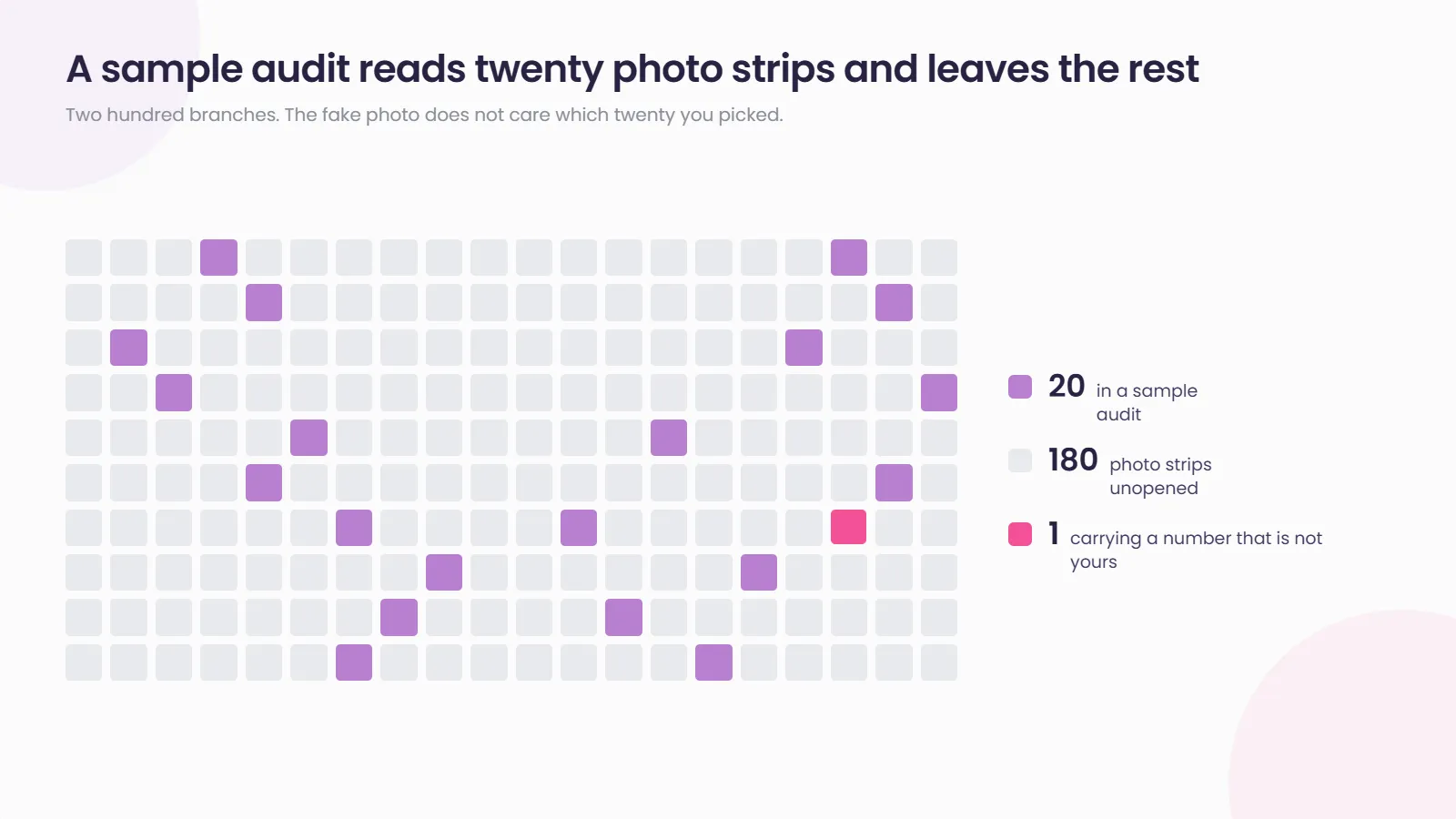
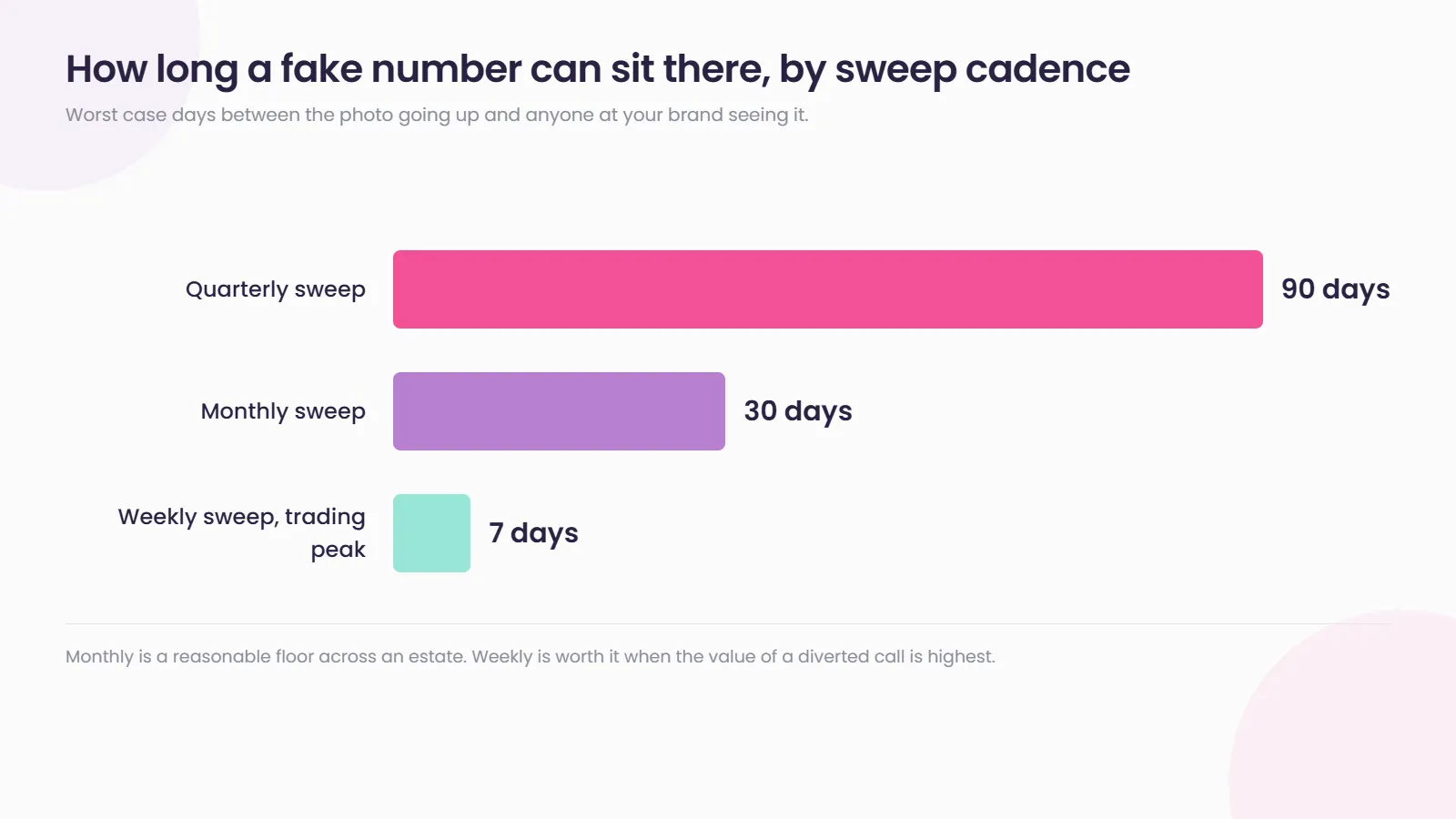
Make it a scheduled job with a named owner. A quarterly sweep across 200 locations catches this months late. Monthly is a reasonable floor, and weekly during a trading peak when the value of a diverted call is highest.
Know every number that legitimately belongs to you. That includes call tracking numbers. If your team cannot tell a tracking number from a hostile one at a glance, they cannot audit the photos.
Report through the policy route and keep your own record. Report each image once, since duplicate requests can delay Google’s review. Log what was reported, when, and by whom. If you need to escalate, a documented history is worth more than a fresh complaint.
Brief the people who answer the phones. A customer who reaches you after being quoted a strange price elsewhere is a signal. Branch staff hear it before any dashboard shows it.
There is a second reason to care beyond the diverted call. Contributor content on your profile is part of the data layer that AI assistants read when a customer asks for a recommendation nearby, something we covered when Google Maps shifted toward AI-led discovery. Polluted content on your listing is not only a call you lose today.
How Social Places helps protect your listings
At one or two locations, checking your own photos is a five minute job. Across hundreds of branches it is a process, and processes need somewhere to live. Listings keeps the location record for every branch consistent and monitored from one place, and Brand Listening tracks what is being said and shown about your brand across the web rather than inside one dashboard. If nobody currently owns the photo strip across your estate, let us take a look.
Related reading
- Someone is trying to claim your client’s listing. Right now. covers the other route strangers take into a listing you thought was yours.
- What happens when Google rejects a listing name across a whole fleet covers the policy route by which listing data changes without you.
- Google Maps and AI-led discovery covers why the content on your profile now feeds recommendations well beyond Maps itself.
Frequently asked questions
Can I delete a photo someone else uploaded to my Business Profile?
No. Contributor photos are not yours to remove. You can request removal from your Business Profile, and Google reviews it under its Maps user generated content policy, which allows it to remove content and restrict or suspend the contributing account. The decision and the timing sit with Google, and its own guidance says the review can take several business days.
Will uploading more of my own photos push a fake image down?
Not reliably. In at least one reported case an owner added a logo, a cover image and further photos, and the image they were trying to bury stayed prominent. Treat it as worth trying, not as a fix.
How would I even notice this?
By looking. Open each location's profile and read the photo strip for any printed phone number, web address or claim that did not come from you. Most listing audits never check images, which is precisely why this works.
Does this mean my listing has been hacked?
No, and that distinction matters. Adding a photo requires no ownership or access to your profile. If your contact fields are unchanged and your People and access list looks normal, this is contributor content rather than a compromised account.