Every brand asset, in one place.
Store logos, images, videos, templates and brand guidelines in one secure library - and share the latest, on-brand version with every store, franchisee and agency in a click.
One secure home for everything.
Logos, photography, videos, social templates and brand guidelines - organised, searchable and stored in one place every team can reach, instead of scattered across drives and inboxes.
- PDFs, logos, images, video & templates
- Searchable, organised & tagged
- Secure, centralised storage
Share on-brand assets with every partner.
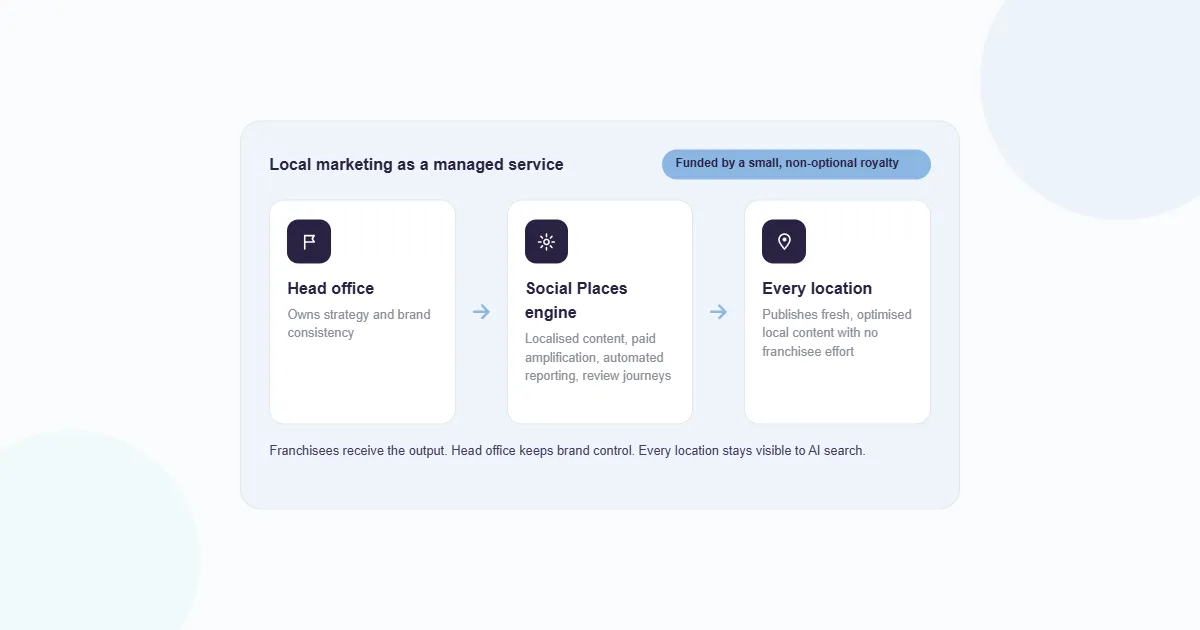
Give franchisees, regional teams and agencies access to exactly the assets they need - with permissions, version control and an audit trail so the brand never drifts.
- Share with franchisees & agencies
- Version control & permissions
- Always the latest approved version
Everything in Asset Library
Pre-approved content library
Store images, videos, logos and templates in one brand-safe location.
Network collaboration
Share on-brand assets with franchisees, agencies and regional teams.
Version control & permissions
Manage who can upload, edit and download - keeping the brand consistent.
Searchable & organised
Tag, filter and find any asset in seconds across the whole library.
Always current
Update once and the latest version replaces the old everywhere.
Streamlined creation
Ready-to-use brand assets cut content creation time dramatically.
78% of marketers say a centralised asset bank significantly improves content-creation efficiency.
When every team pulls from one library of approved assets, content goes out faster and the brand stays consistent across every location.


"Every franchisee now pulls from the same library - the latest assets, always on brand, with none of the email back-and-forth."
Questions, answered.
What is a brand asset library (DAM)?
A brand asset library - also called a digital asset management (DAM) system - is one secure, central home for every approved brand asset: logos, images, video, templates, PDFs and brand guidelines. Social Places gives multi-location brands a single source of truth so every team always uses the latest, on-brand version.
What is digital asset management and why do brands need it?
Digital asset management organises, stores and shares your marketing assets in one place with version control and permissions. For multi-location brands it stops teams using outdated logos or off-brand creative, cuts the email back-and-forth, and keeps every store and franchisee consistent.
How do franchisees and local teams access brand assets?
Share on-brand assets with franchisees, agencies and regional teams through the library - they get local access to download exactly what they need, while head office keeps central control over what’s available.
How do you keep assets on-brand and up to date?
Version control means there’s always one current, approved version of every asset - update it once and it’s the version everyone sees. Permissions control who can upload, edit and download, so nothing off-brand slips out.
Can I control who can upload, edit and download?
Yes. Role-based permissions let you decide exactly who can add, change or download assets across head office, regions, franchisees and agencies - keeping your brand consistent everywhere.
What types of files can I store?
Logos, images, videos, templates, PDFs and brand guidelines - all searchable and organised so teams find the right asset in seconds.
Does a centralised asset library actually save time?
Yes - 78% of marketers say a centralised asset bank significantly improves content-creation efficiency, by removing version confusion and the constant requests for files.
How is the Asset Library different from Social?
Social plans and publishes your content; the Asset Library is the brand-safe store those teams pull approved logos, images and templates from. They work together - the library feeds consistent creative into everything you publish.
Can agencies and partners use the library too?
Yes. Invite agencies and partners in with controlled access, so they always work from your current, approved assets instead of chasing files over email.
Asset Library is part of the whole suite.
Buy a single module or run them all - under one login, one team and one bill.

Listings →
Sync every outlet across Google, Apple, Bing & social

Reputation →
Monitor & reply to reviews from one inbox

Ads →
Local paid media that proves its return

Bookings →
Reservations & appointments via the locator

AI Reports & Insights →
One live report for every stakeholder
AI Visibility →
Get cited by Google AI, ChatGPT & Perplexity
Store Locator →
Locator + an SEO page for every outlet
Local Boost →
Boost posts across every store page at once
Customer Feedback Forms →
Feedback forms across every touchpoint
Brand Listening →
Track mentions & share of voice in real time
Briefing →
Capture & track creative briefs end to end
One library. Every team, on brand.
See how a centralised asset bank keeps every store, franchisee and agency working from the latest, approved creative.