TikTok Is Now a Connected Platform Across Social Places
TikTok has been the integration our clients asked for most. Until now, brands running 50 or 500 outlets have had to manage it outside every other channel: post from a phone, chase comments in the app, and rebuild the numbers by hand at month end. That gap is closed. TikTok now sits alongside your other platforms in the dashboard, with posting, comments and chats in the same place you already work.
What’s new
Listings
TikTok now displays in the Listings Suite alongside your other connected platforms, so Descriptions and other details are updated in the same place as the rest of your location data. It is a smaller change than it sounds: TikTok runs as one brand account rather than a profile per location, so there is no per-store TikTok record to manage.
Social
Create and schedule TikTok video and image posts through the Content Workflow and the Asset Bank, using the same approval steps as every other channel. Per post controls cover privacy, comments, duet, stitch and branded content.
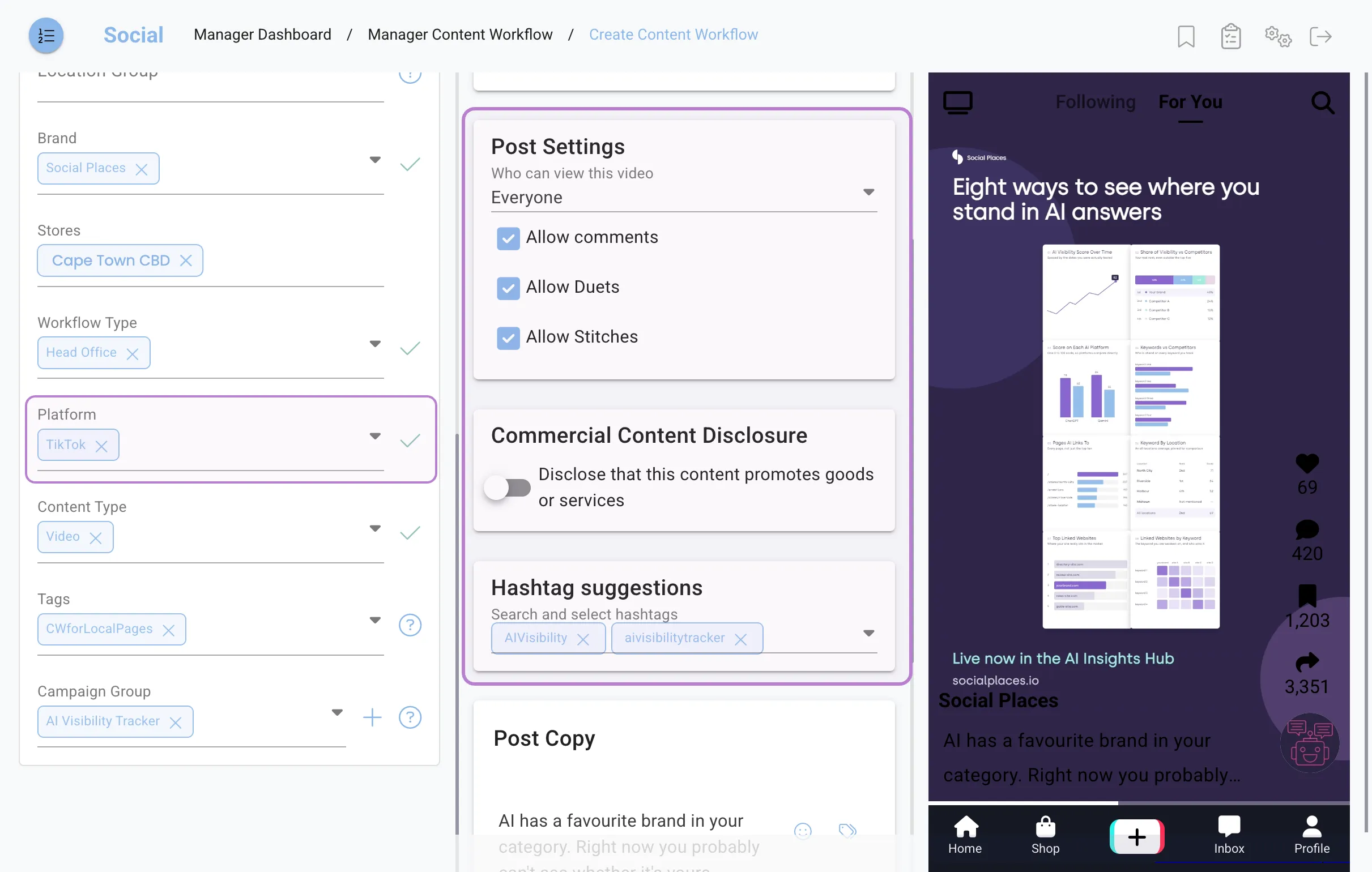
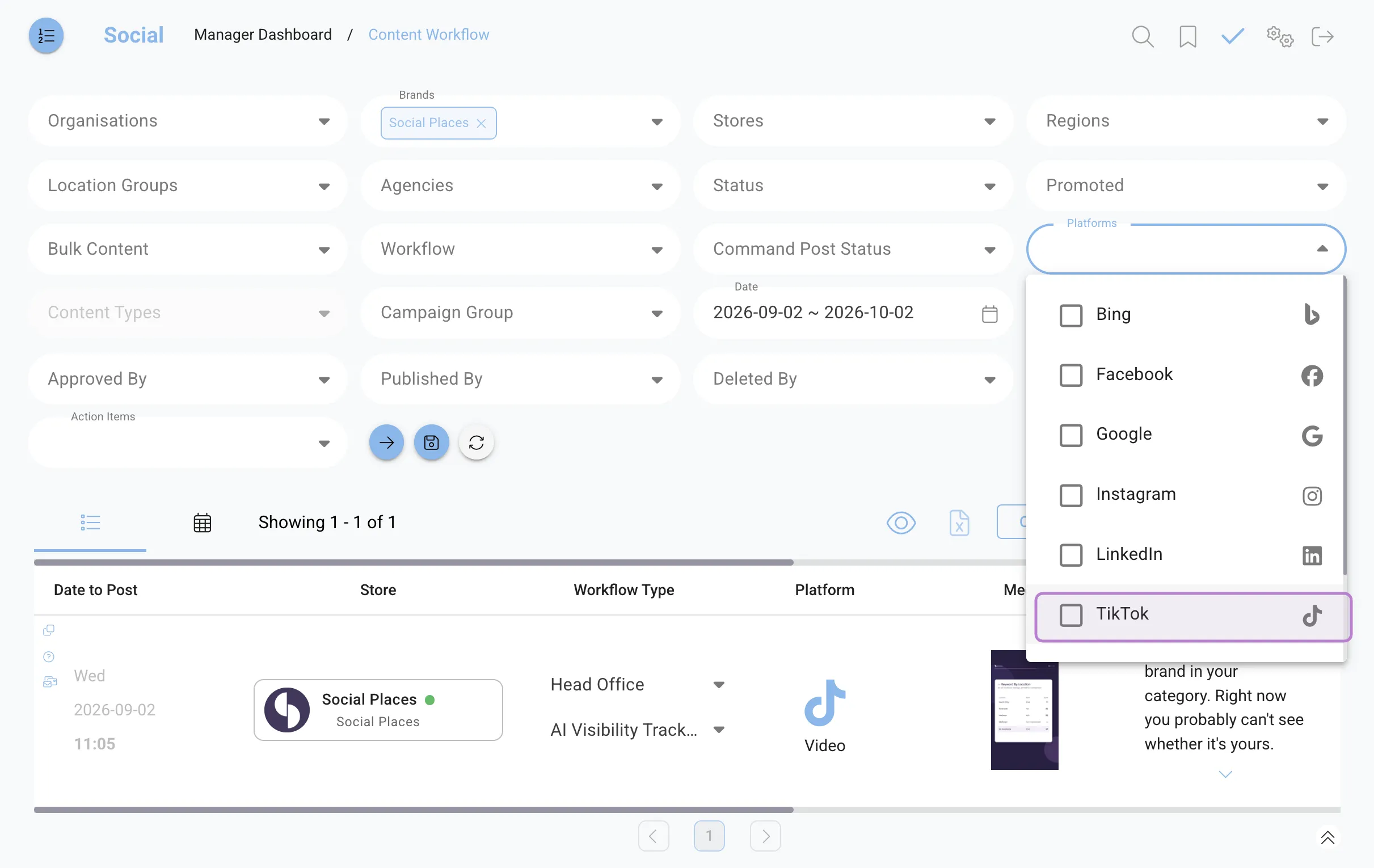
TikTok is also a filter in its own right, so you can pull up everything scheduled or published to the channel without leaving the workflow you already use.
Reputation
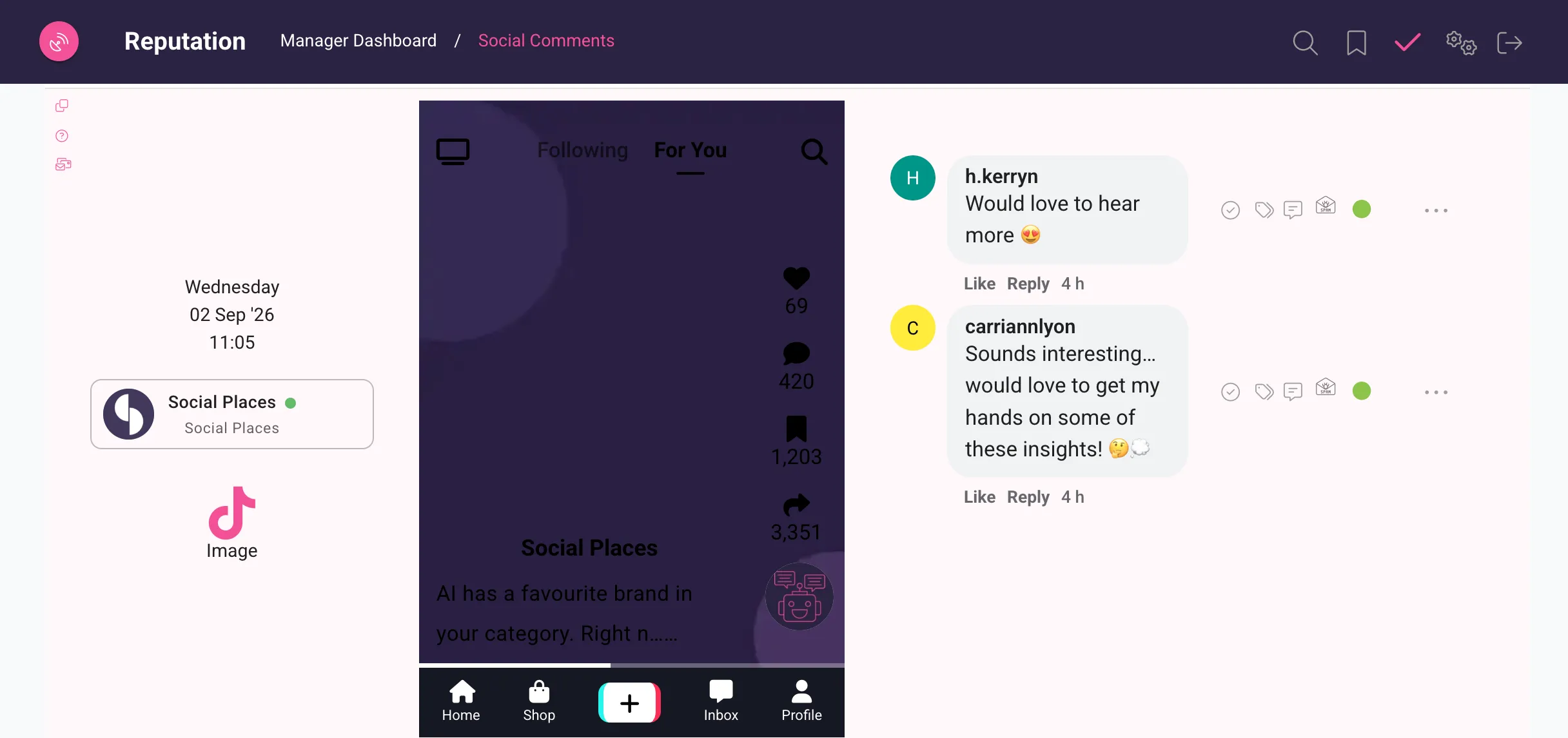
Handle your TikTok comments and chats in our Inbox, alongside every other channel and with the same workflow your team already uses. TikTok has no review layer we can pull from, so nothing changes in your review scores or review reporting.
One thing to know before you connect: chats require a business-verified TikTok account. Everything else runs on a standard account, including connecting, publishing and comments. Only messaging is gated. An account that is not verified keeps every other feature and simply skips chat processing. Because TikTok runs as one brand account rather than one per store, the same model as LinkedIn, verification is a single step at brand level rather than something each location has to do.
Who this is for
Any brand already active on TikTok, or planning to be, that is tired of running it separately from everything else. It matters most to franchise and retail groups where the content calendar is centralised but the community management is not.
One thing to be clear about: TikTok connects one account per brand, not one per location, the same model we use for LinkedIn. If your outlets each run their own TikTok, speak to your account manager about how to structure it before you connect.
How it works
- Connect the account. Open Settings, choose TikTok, and authorise through the two step TikTok login. The connection appears against the brand.
- Build the post. In the Content Workflow, pick TikTok as a destination, attach video or images from the Asset Bank, set privacy and interaction options, then send it through approval.
- Work the inbox. Comments and chats arrive in Reputation with your other platforms. Assign, reply and close as usual.
How to access it
TikTok is available to any brand on Social or Reputation, but it needs to be switched on for your account first. Speak to your account manager and they will enable it against your brand and walk you through the connection. If you do not see TikTok in Settings after that, get in touch and we will check the configuration.
Ready to see it in action?
If TikTok is where your customers are and your team has been managing it on the side, this is the release that pulls it back in. Pair it with Social for posting and Reputation for comments and chats, and the whole channel runs from the same dashboard as the rest of your presence.
Related reading
TikTok’s Local Feed isn’t in South Africa yet. That’s the head start. covers what TikTok is building underneath the feed, and what multi-location brands should be doing with the time before it lands here.
Frequently asked questions
Does this change anything in my existing setup?
No. TikTok is added as an extra platform. Your existing connections, workflows, approval steps and reports carry on unchanged.
Can each of my locations connect its own TikTok account?
Not at launch. TikTok connects one account per brand, the same way LinkedIn does. If your locations run separate TikTok profiles, your account manager will help you decide how to handle it.
Which plan is this on?
It is available to any brand on the Social or Reputation suites. It has to be enabled per account, so contact your account manager to have it switched on.
Do I need a verified TikTok account?
Only for chats. Connecting the account, publishing and comments all work on a standard TikTok account. Direct messages are the exception: only business-verified TikTok accounts can receive them, and an unverified account keeps every other feature and simply skips chat processing. Since TikTok connects at brand level rather than per location, verification is a single step for the whole estate.
Are TikTok reviews included?
TikTok does not expose reviews to connected platforms, so there is nothing to pull into your review scores or review reporting. What you get is comments and chats, which behave like every other conversation channel in Reputation.