Why Google Keeps Asking Your Stores to Verify by Video

Your new store opens on Friday. The fit-out is done, the staff are trained, and the Google listing is stuck because Google wants someone on site to film the shopfront, walk inside and open the stockroom door on camera.
Multi-location brands keep asking us the same three questions about this. Why is Google asking for a video? Why did the last one fail? And why is a store that was verified years ago suddenly being asked again?
1. Google Chooses the Method, Not You
Google’s help centre is blunt on this point: verification methods are automatically determined by Google and can’t be changed. The options can include phone or text, email, video and post, and which ones appear depends on factors such as business type, public information, region and trading hours.
For a brand with dozens of stores, that means there is no single process. One store may be offered a phone call, the next only video.
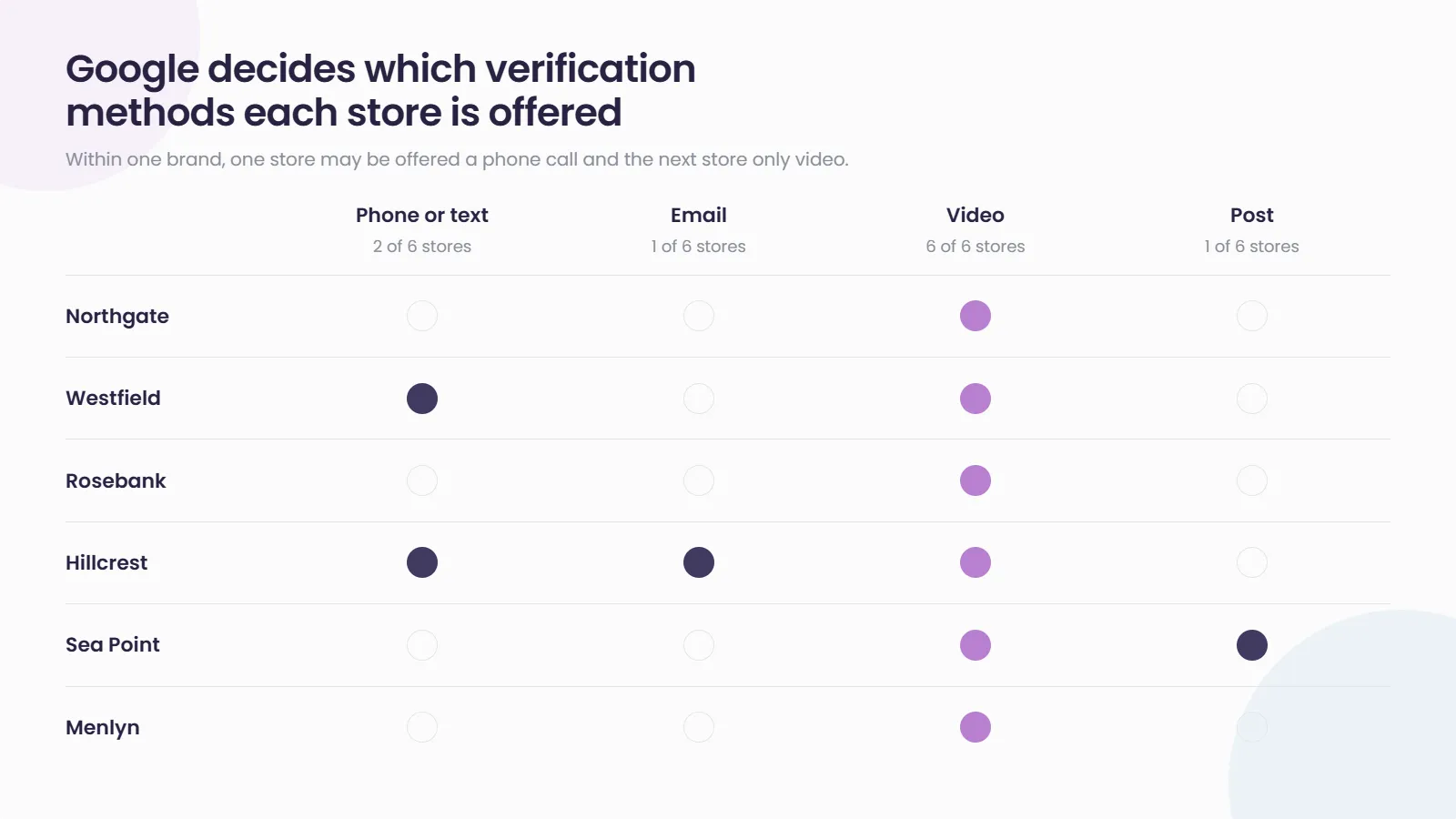
In the accounts we manage, we have also seen the options shown for the same listing change between sessions and between users. Treat whatever appears as the route available at that moment. Where more than one method is offered, Google says you can try another.
2. What a Passing Video Has to Show
Google’s video verification guidance asks for one continuous, unedited recording, made and uploaded from a mobile device through the Business Profile. For a storefront, the video needs to prove three things:
- Where you are: street signs, building numbers, neighbouring businesses or familiar landmarks.
- That the business exists: the storefront or signage, with the business name on a permanent fixture.
- That you run it: something only staff can access, such as opening the till, the kitchen or a storeroom.
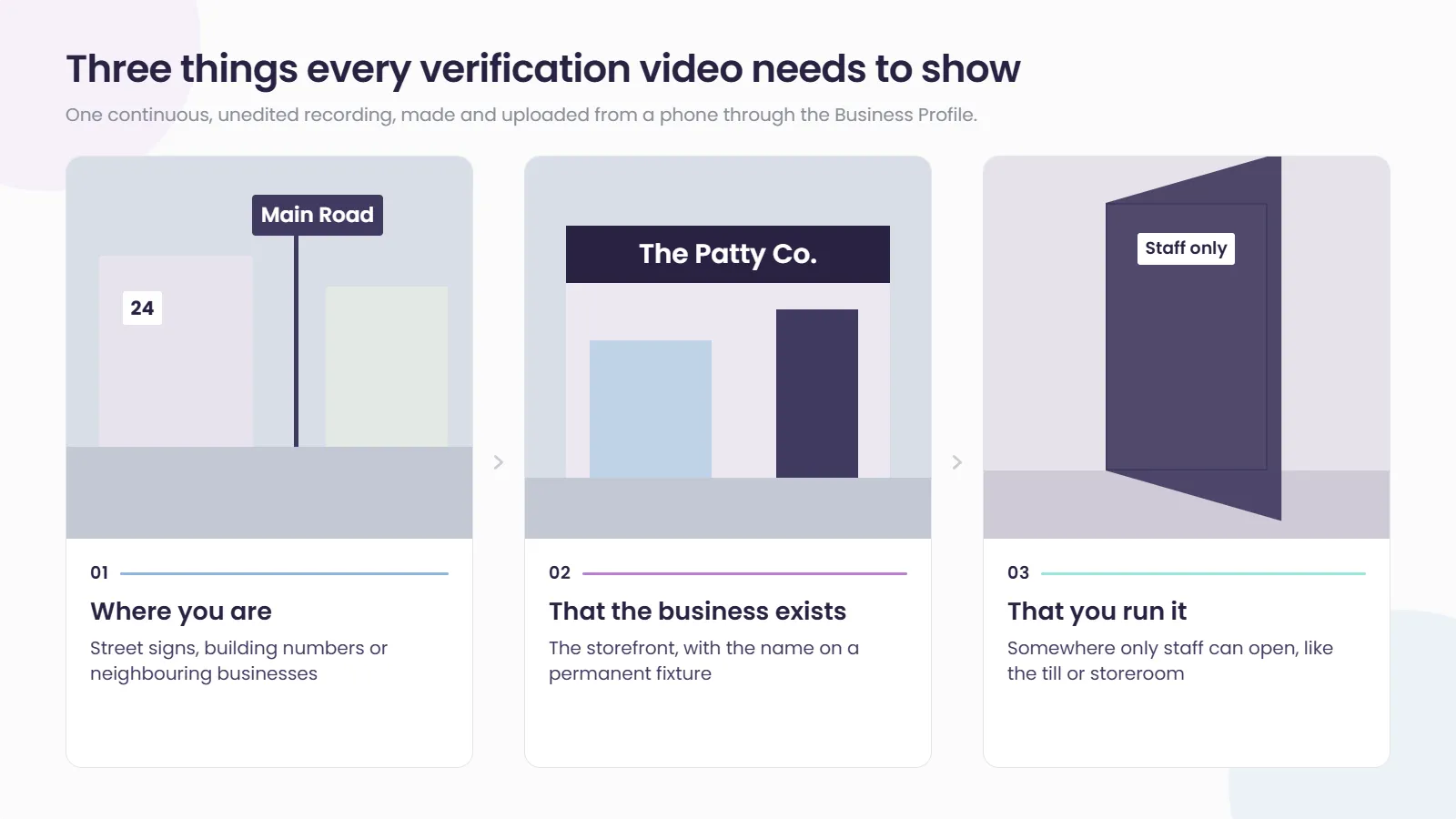
Service-area businesses show tools, equipment and the work being done instead. Google also asks that videos leave out sensitive details such as bank, tax or ID numbers, and other people’s faces.
Reviews can take up to five business days. If a video is rejected, you record a new one that fixes the issues listed in the notice. In our experience, the most common reasons are temporary banners instead of permanent signage, breaks in the recording, and footage that never shows a street name.
3. Why a Verified Store Gets Asked Again
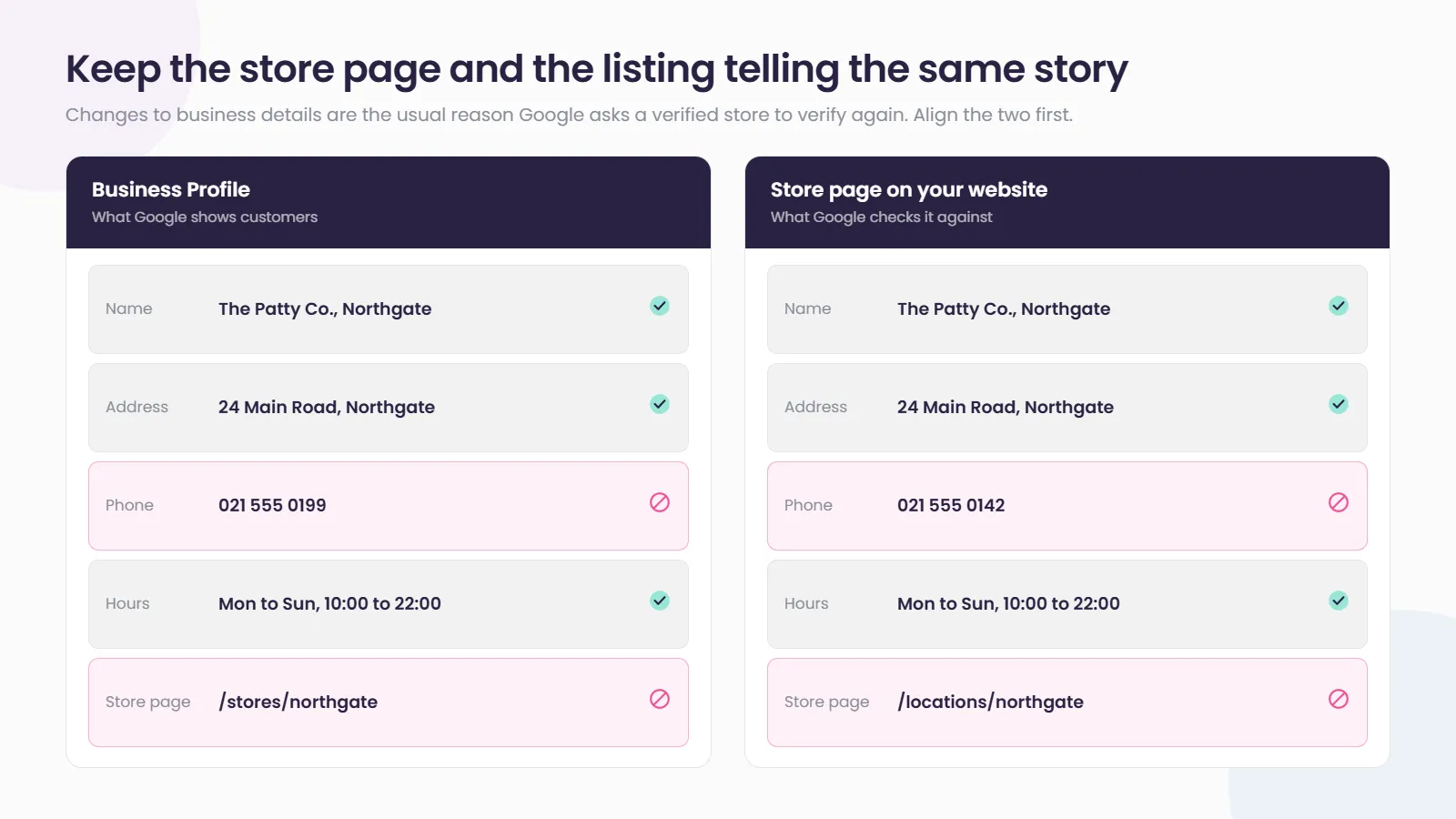
Verification is not a box you tick once. Google’s help centre notes that if you are asked for more information to re-verify a profile, it is likely because business details were recently updated.
For multi-location brands, routine housekeeping is often what sets it off:
- A rebrand or name change rolled out across every store
- A website migration that changes store page URLs
- A new phone system or a changed store number
- A store that closes and later reopens
In our experience, changes are more likely to run into friction when the listing no longer matches what the brand’s own website says about that store. Get the store locator and Google telling the same story before you make the change, not after.
“Google is so strict these days around that consistency, especially for websites. They’re basically viewing your website as their source of truth and the official citation that they can rely on to verify that updates are correct.” Ashleigh Wainstein, Co-Founder and Client Service Director, Social Places
4. The Multi-Location Bottleneck: One Phone, One Person, One Store
A single-location owner films their own shop. A brand with 80 stores needs a manager at each site with temporary access, a brief, a phone and ten quiet minutes. Repeat that for every opening, relocation and rebrand, and verification becomes an operations project.
Three habits take most of the pain out of it:
- Keep a named verification contact for every store, with a current email address, so access invites do not bounce around head office.
- Give every store the same one-page filming brief, covering the street, the signage and one staff-only area.
- Apply for bulk verification once you qualify. Google requires 10 or more profiles from the same business, and says new locations added afterwards that are not owned by someone else will show on Google. Our guide to bulk verification for multi-location brands covers who qualifies and why requests get rejected.
How Social Places Helps Brands Get Every Store Verified
At 80 stores, verification is no longer an admin task. It is part of how head office keeps control of every location customers can find. Social Places claims, manages and verifies profiles across every location, tracks what is still pending, and works with store teams on what to film before they hit record. Store Locator and Local Pages keep your store pages and your listing data correct and consistent from the same dashboard, so the details Google sees on your website match the details on your profile. If verification is holding up your next opening, talk to our team.
Related reading
- Bulk Verification: The Multi-Location Google Setup Step Most Brands Get Wrong: who qualifies for bulk verification and how it reduces store-by-store checks.
- One Restricted Google Account Can Suspend Every Location You Manage: why the account that manages your profiles matters as much as the profiles themselves.
Frequently asked questions
Can we choose phone or postcard verification instead of video?
Not directly. Google decides which methods each profile is offered and says they can't be changed. If more than one option appears you can try another, but if video is the only option shown, video is the route.
How long does Google take to review a verification video?
Google says verification reviews can take up to five business days, and occasionally longer. Create new store listings well before opening day so a rejected first attempt does not delay the launch.
Why was our verification video rejected?
Google's notice lists what was missing. Common gaps are no clear street identifiers, signage that is not permanent, cuts or edits in the recording, and no staff-only area on camera. Record a fresh video that addresses each point.
Do we need to verify again if we change a store's details?
Possibly. Google notes that requests to re-verify usually follow recent changes to business details. Make changes deliberately, update the website first and keep the two consistent.