Bulk Verification: The Multi-Location Google Setup Step Most Brands Get Wrong
Your locations are already on Google. They show up when you search for them. So verification is handled, right?
Not necessarily. For multi-location brands there is a wide gap between a listing that exists and a location group that is verified in bulk. That gap quietly decides which of your stores get surfaced with full features and which sit half-trusted in the background.
What bulk verification actually is (and what it is not)
Bulk verification, which Google calls chain verification, lets a brand verify 10 or more locations tied to a single Location Group in one process, instead of verifying each profile individually by postcard, phone call, or video.
Once it is granted there is a second benefit that matters even more at scale: new locations you add to the group generally inherit verified status automatically, without going through separate video verification every time you open a store.
It is not something you buy, and it is not a ranking boost. It is also not the same as claiming a listing. Claiming says “this is mine.” Bulk verification says “Google trusts this whole brand relationship.” Google’s own overview of verifying profiles in bulk covers the current steps.
Who actually qualifies
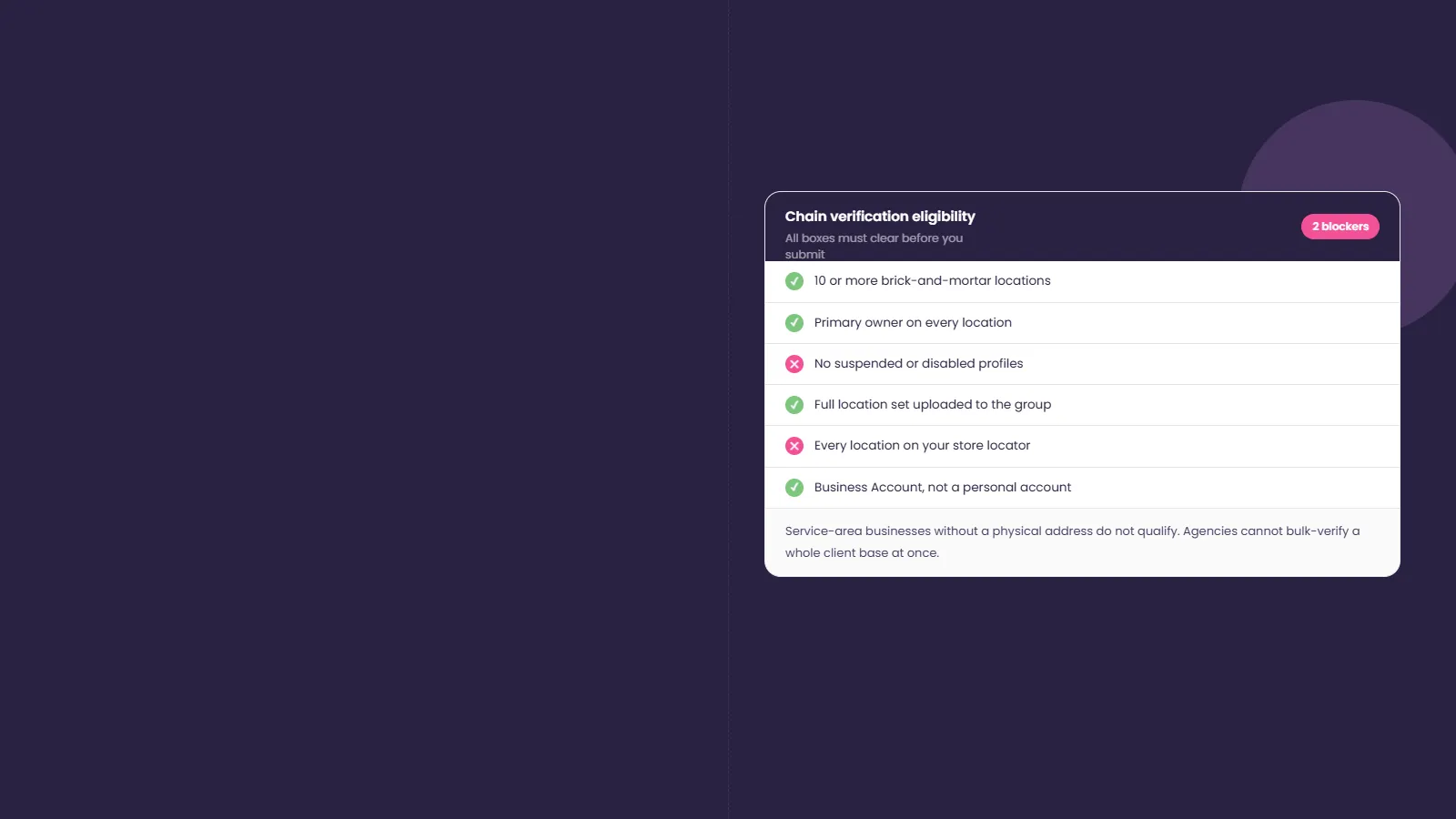
Bulk verification is built for chains and franchises, so the eligibility bar is specific. To qualify you generally need:
- 10 or more brick-and-mortar locations
- To be the primary owner on every location in the account
- No suspended or disabled profiles anywhere in the account
- Your full location set uploaded, with each location listed on your website’s store locator
- Proof of business size on your official website
- A Business Account, not a personal Google account
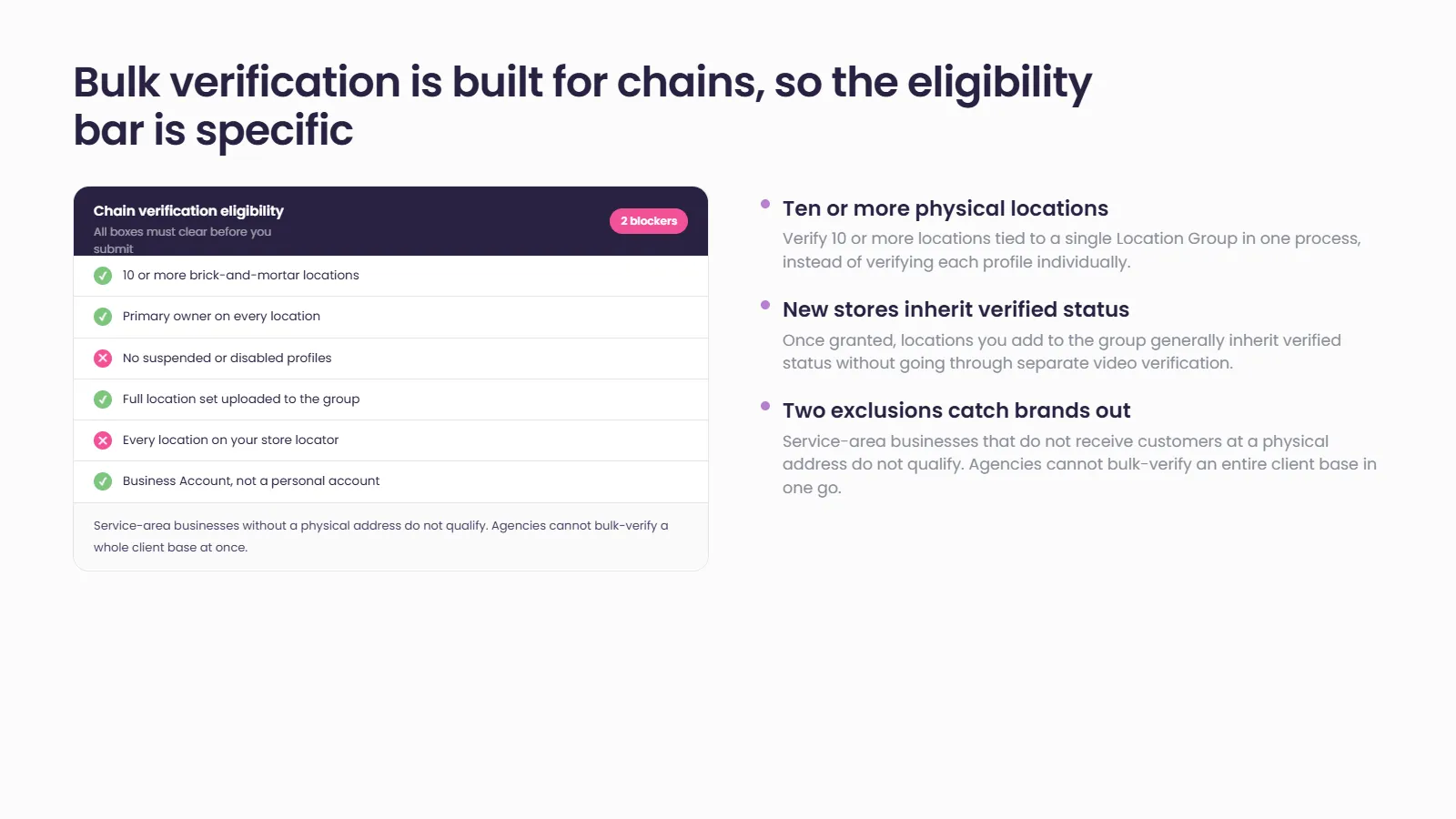
Two exclusions catch brands out. Service-area businesses that do not receive customers at a physical address do not qualify. And agencies cannot bulk-verify their entire client base in one go — verification is granted per merchant chain that meets the bar, not per agency.
How the process works
The mechanics are straightforward once the data is clean:
- Group all eligible locations into a single Location Group.
- Prepare a spreadsheet with every location’s details and consistent name, address, and phone (NAP) data.
- Remove permanently closed, suspended, disabled, or duplicate locations first.
- Submit the chain verification request from your profile manager.
Google then reviews the brand relationship once and grants verified status across the group as a batch.
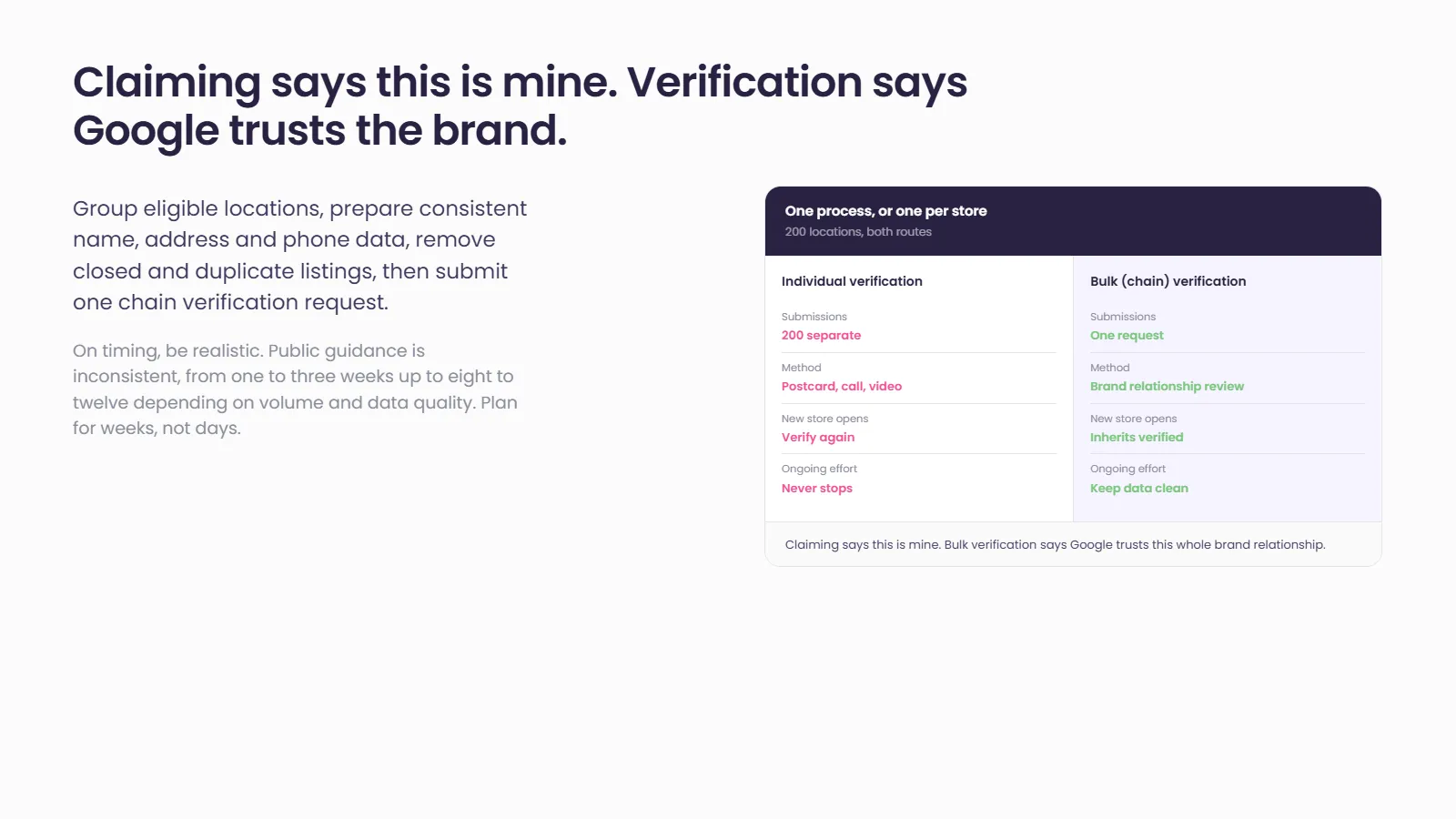
On timing, be realistic. Public guidance is inconsistent — some sources describe a one to three week turnaround, others eight to twelve weeks depending on the number of locations and how clean the submission is. Plan for weeks, not days, and confirm the current window against Google’s own documentation before you commit to a launch date.
Why brands get rejected (and how to avoid it)
Most rejections are not mysterious. They come from data, not bad luck. The usual causes:
- Inconsistent NAP across the spreadsheet, your website, and existing listings
- Duplicate or near-duplicate listings for the same location
- Submitting from a personal Google account instead of a Business Account
- Phone numbers in the wrong format
- Trying to verify as a storefront when the location does not receive customers
- Incomplete or skipped fields in the location data
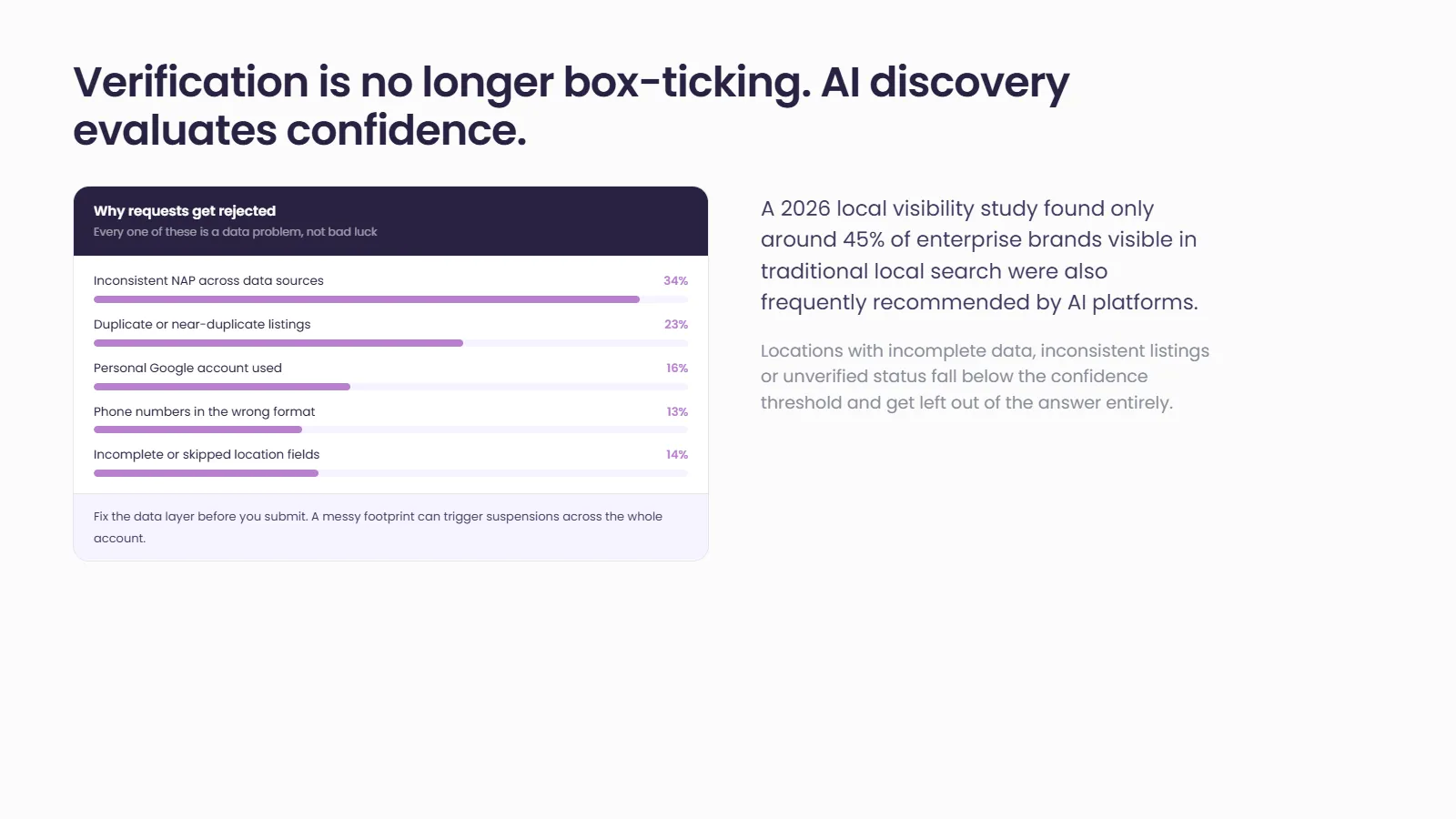
The pattern is clear: fix your data layer before you submit. A messy footprint does not just delay verification, it can trigger suspensions across the whole account.
Why this matters more in the age of AI search
Verification used to be a box-ticking exercise. It is now foundational, because AI-driven discovery does not rank pages, it evaluates confidence.
A 2026 local visibility study found that only around 45% of enterprise brands visible in traditional local search were also frequently recommended by AI platforms, and that holding AI visibility can be many times harder than holding a traditional ranking. Locations with incomplete data, inconsistent listings, or unverified status fall below the confidence threshold and get left out of the answer entirely.
It does not stop at the AI answer. Most people who receive an AI recommendation still verify it themselves, searching the brand on Google, visiting the website, or clicking the sources the AI cited. Every one of those touchpoints has to agree. Bulk verification is the base layer that makes that consistency possible across dozens or hundreds of locations at once.
How Social Places helps
Getting every location verified and keeping the data consistent behind it is exactly the problem Social Places Listings is built for: grouping locations, cleaning duplicates, and keeping NAP consistent across the footprint. Pair that with Store Locator and Local Pages and the store-locator requirement Google checks for is handled as part of the same system, not as a separate scramble.
If your brand is sitting on locations that are listed but not verified in bulk, that is a visibility gap worth closing before AI search widens it. Contact Us
Frequently asked questions
How many locations do I need for bulk verification?
You generally need 10 or more verified brick-and-mortar locations under a single Business Account, with your brand as the primary owner on all of them.
How long does Google Business Profile bulk verification take?
Public estimates vary widely, from one to three weeks up to eight to twelve weeks, depending on the number of locations and the quality of your data. Plan for several weeks and submit clean, consistent data to avoid delays.
Do new locations need to be verified individually after bulk verification?
Usually not. Once your chain is verified, new locations added to the group generally inherit verified status without going through separate video or postcard verification.
Why was our bulk verification request rejected?
The most common causes are inconsistent NAP data, duplicate listings, using a personal rather than a Business Account, incorrect phone formats, or a missing store locator on your website. Cleaning your data before resubmitting resolves most cases.